
From Zero to Package in Seconds: the new Conan MCP Server


MCP (Model Context Protocol) is an open-source standard that allows language models and AI applications like ChatGPT, Claude, or Grok to connect with other systems, enabling them to access data sources such as local files or databases, workflows like specific prompts, and tools, such as, in our case, the Conan client.
Why should I use it?
The Conan MCP Server offers several compelling advantages, particularly for developers working with C and C++ dependencies and AI development tools:
Enhanced Automation and Efficiency
- Easier Packaging Workflow: The MCP server allows the language model to run Conan commands directly. This makes it possible to generate the basic structure of a C++ project, add dependencies in natural language, and prepare the project by installing the Conan dependencies it needs. It can also run security scans on your dependencies and list their declared licenses. All of this happens through simple natural language prompts, using your preferred LLM.
- Reduced Context Switching: Developers no longer need to jump between their development environment, command line, and documentation to manage dependencies. The AI acts as an intelligent intermediary, handling complex Conan tasks in the background.
Easy Dependency Management and Auditing
- Natural Language Package Search: Thanks to the Conan MCP Server, you can search for the exact package you need from your remotes by specifying the operating system, architecture, compiled binary options, or even complex version range filters, all without resorting to command line syntax.
- Simplified Dependency Definition: Leveraging the power of natural language processing through MCP, developers can define their required C/C++ dependencies without needing to memorize specific Conan syntax for creating recipe files. For instance, a simple request like “I need the latest version of Boost for my project, compiled with C++17 support” is translated by the AI agent into the necessary Conan commands and configuration.
- Proactive Auditing and Security: The AI agent can proactively audit dependencies as they are installed, automatically checking for known vulnerabilities (CVEs) and verifying license compliance against project policies, giving immediate feedback in natural language.
Let’s dive into real examples
Bootstrapping new Conan projects
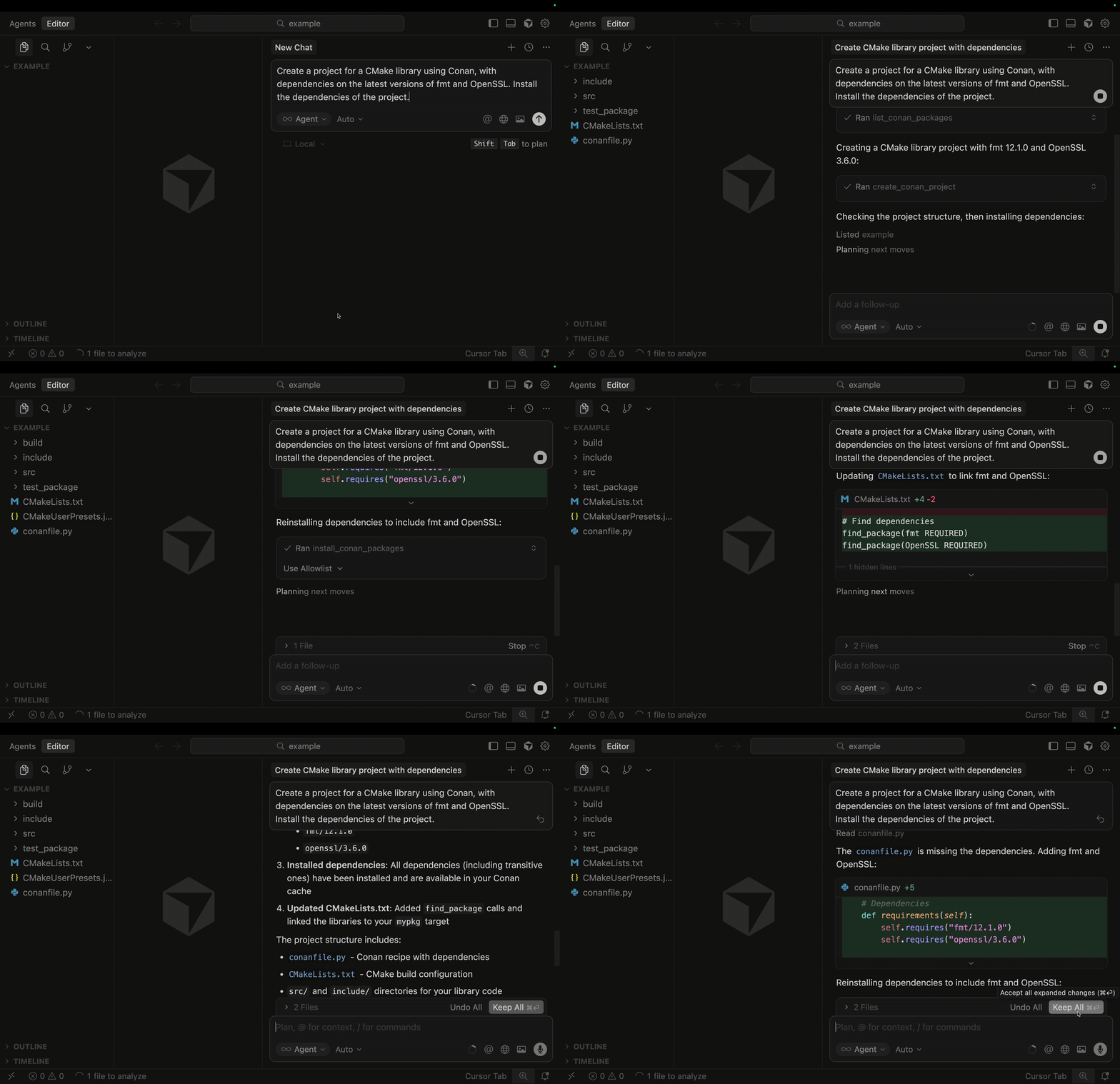
Let’s move on to one of the highlights of the MCP server: initial project setup using prompts. Suppose we want to start a project of a library that uses CMake, with dependencies on fmt and OpenSSL. We can let Conan MCP create the entire project scaffolding and install the dependencies.
Auditing project and checking licenses
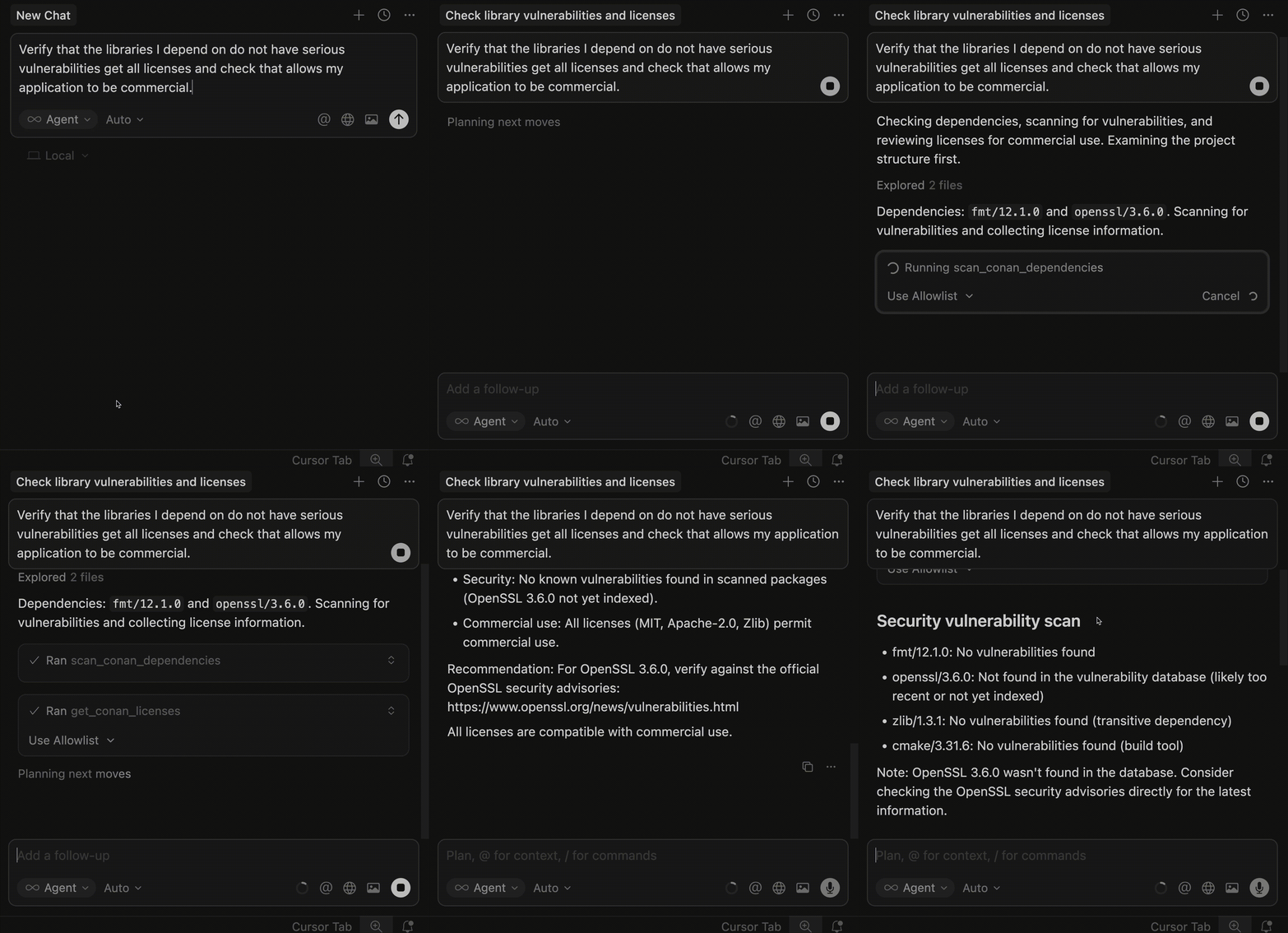
One of the most powerful features is how easily the Conan MCP server helps you check vulnerabilities and list dependency licenses. Using the previous project as a base, let’s ask the language model to ensure that the resolved versions have no vulnerabilities and that all the licenses used by our dependencies are suitable for commercial use.
Listing packages
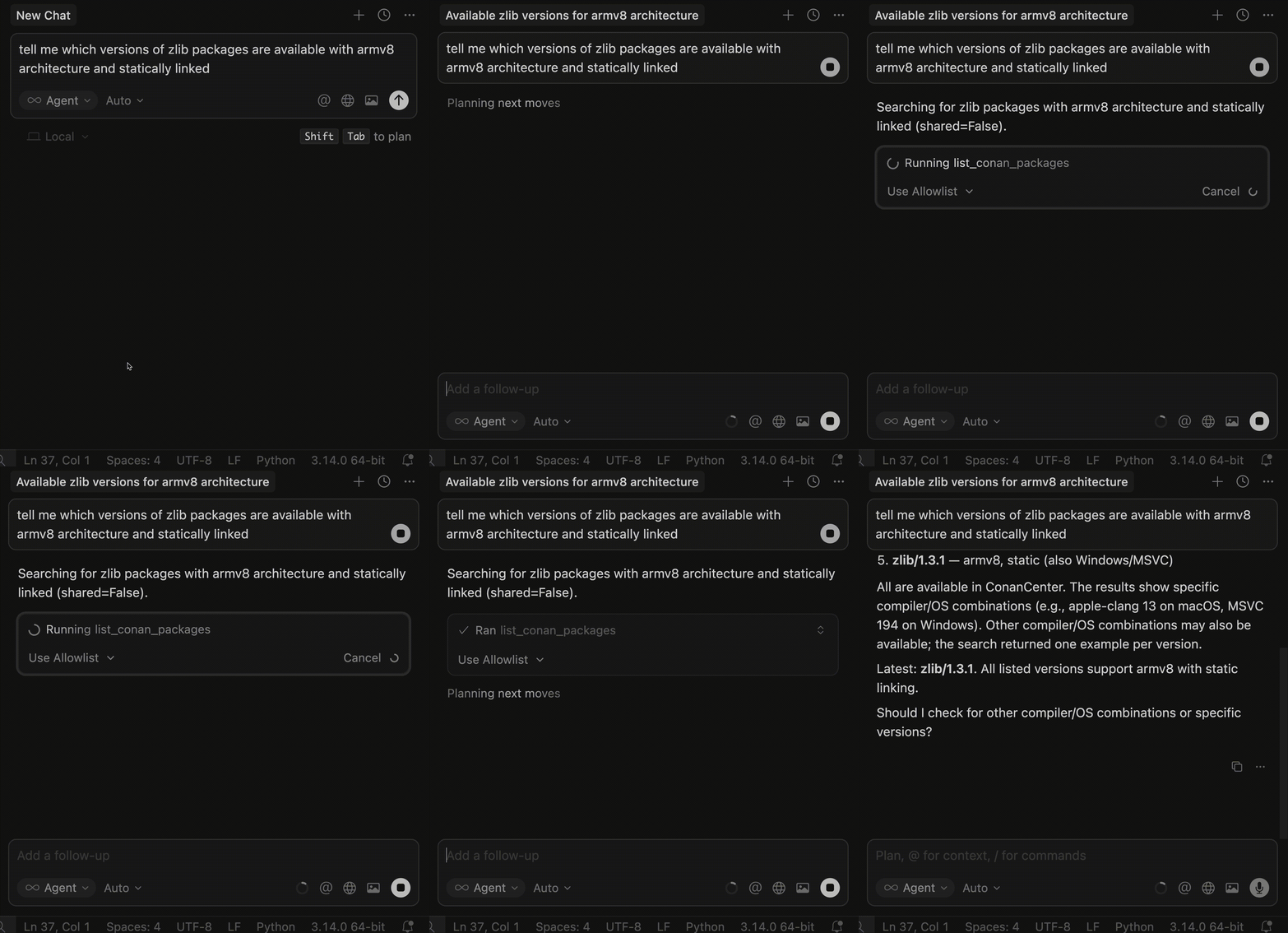
Let’s see a simpler one: we’re going to try to search for the compiled packages on ConanCenter for a library, such as zlib, with some options, including the architecture being arm and the shared option set to false, and have it tell us which versions we have packages for.
Manage existing profiles
The Conan MCP Server can also access the list of profiles and is able to query it, so that, for example, if you want to check which C++ version my Windows profile with MSVC 193 is configured for, you can simply ask:
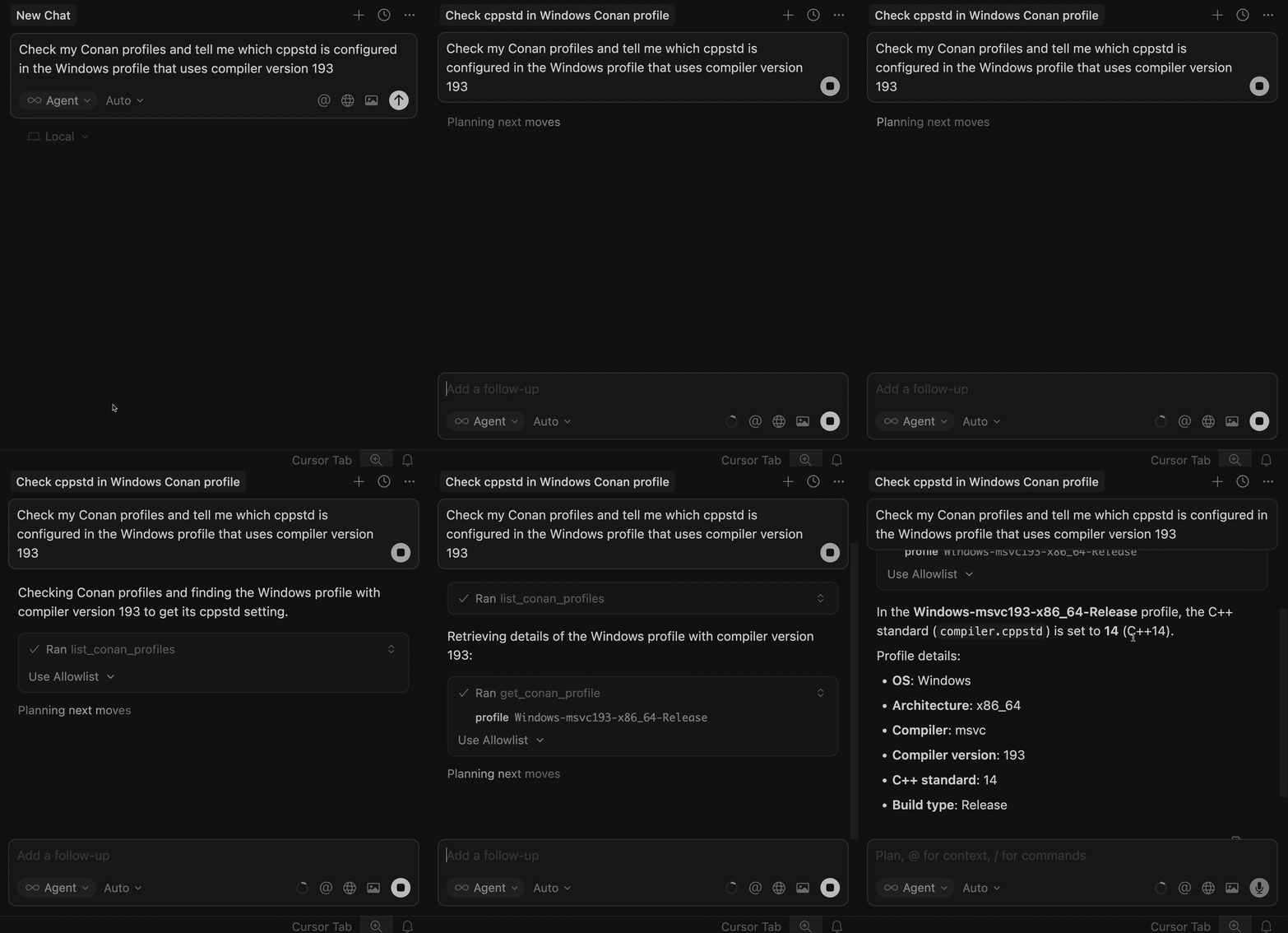
It will list the profiles using a conan profile list command and then use conan profile show with the selected profile
to obtain the required information. For this type of functionality to work correctly, we recommend maintaining a proper
order when naming your Conan profiles.
Installing the Conan MCP Server
To install the Conan MCP Server, the first thing you need is an MCP client. You can use for example LibreChat or
Cursor. Then, simply add to your MCP configuration.
This assumes you have uv installed on your machine. uv has become a common way to run MCP servers. You can find installation instructions here: uv installation guide.
{
  "mcpServers": {
    "conan": {
      "command": "uvx",
      "args": ["conan-mcp"]
    }
  }
}
What is next?
The Conan MCP Server is still in an early stage, with a strong focus on the most critical developer workflows, and we are gradually expanding support for more Conan features. We would love to hear your feedback about what you are missing or which workflows you would like to see supported next.
We have prioritized the features most critical for the developer workflow: powerful package search and filtering, seamless project creation and dependency installation, profile checking, and the most essential: vulnerability scanning and license listing.
We would love to hear your ideas. Feel free to share your thoughts in our repository! If you have any suggestions for new features you would like to see addressed by the Conan MCP Server, or even if you wish to contribute code to the project, don’t hesitate to do so! Your feedback and contributions are invaluable in shaping the future of this tool.
Happy prompting with the Conan MCP Server!