
ML in C++: The libtorch package is now available in Conan Center Index


Over the years, one of the most requested ML libraries that users wanted to see available in Conan Center has been libtorch, and we’re now happy to announce that we have added experimental support for the recipe.
Having this recipe packaged in Conan Center will allow developers to execute their PyTorch workflows as easily as any other Conan recipe, without manual downloads or custom integration steps.
What is libtorch
Libtorch is the core C++ component behind the popular PyTorch library. It provides multidimensional tensors, automatic differentiation, neural network layers, optimizers, and model serialization, all implemented in C++.
Internally, libtorch is built on the ATen tensor library and PyTorch’s dynamic computation graph engine, enabling imperative, eager-execution code with a tape-based autograd system. The API closely follows PyTorch’s Python interface, making it easy to translate models and workflows between Python and C++.
Libtorch is typically used in environments where Python is not suitable, such as performance-critical applications, real-time inference pipelines, embedded systems, or large C++ codebases.
Example usage
To show how easy the new recipe makes integrating libtorch in your project, let’s use the upstream regression example from pytorch. You can follow along by cloning the contents of the regression folder in https://github.com/pytorch/examples/tree/main/cpp/regression.
Once we have this, with modern Conan integrations, using libtorch is as easy as adding a conanfile.txt to your project,
with contents that look something like:
[requires]
libtorch/[*]

[layout]
cmake_layout

[generators]
CMakeDeps
CMakeToolchain
Then running Conan to ensure the package is available locally:
$ conan install -b=missing
And now, we can build the example using CMake as we would normally do.
Note that for Windows, the following configure preset name should be replaced by
conan-default(using the sameconan-releasefor the build preset.
$ cmake --preset conan-release
$ cmake --build --preset=conan-release
$ ./build/Release/regression
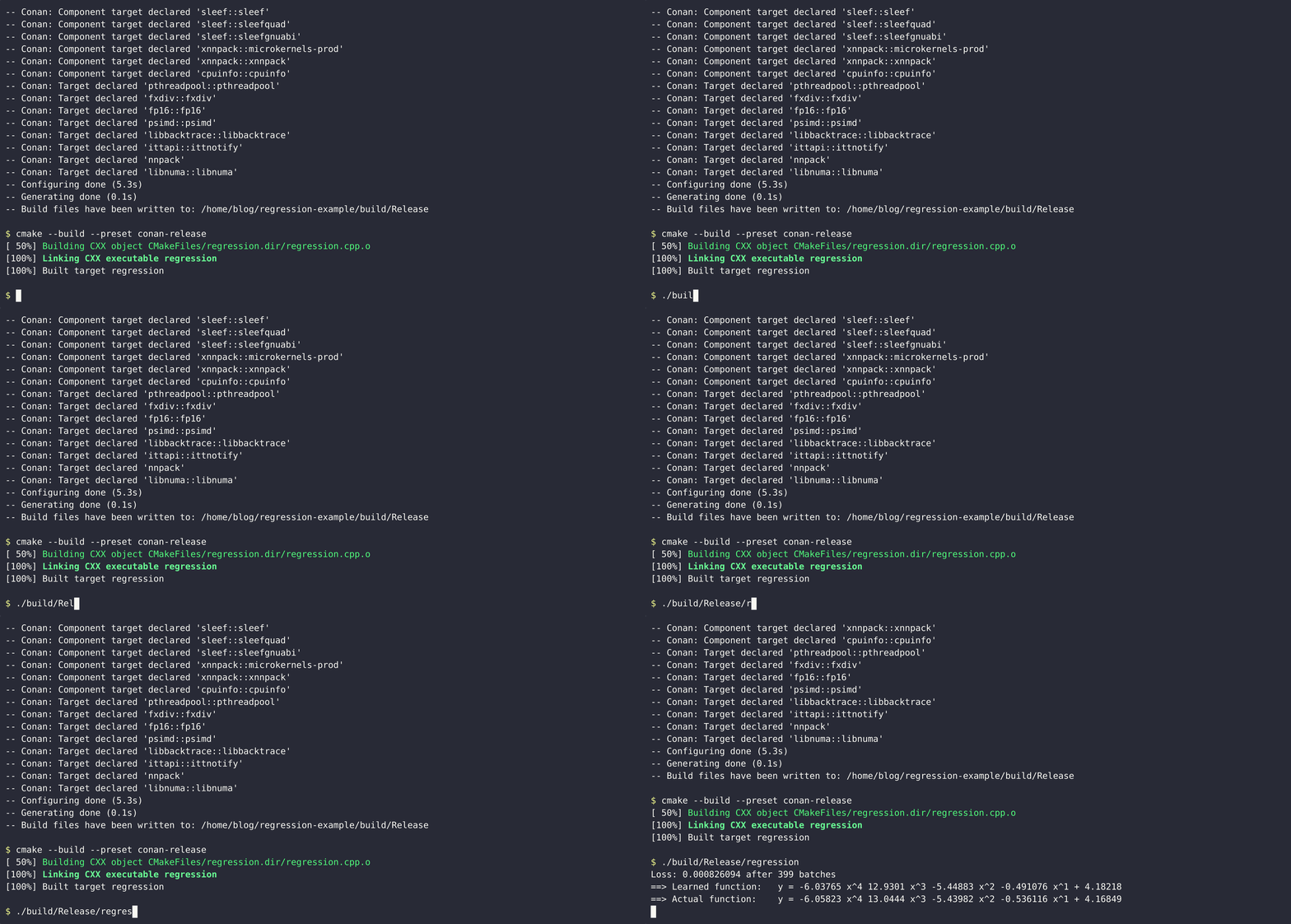
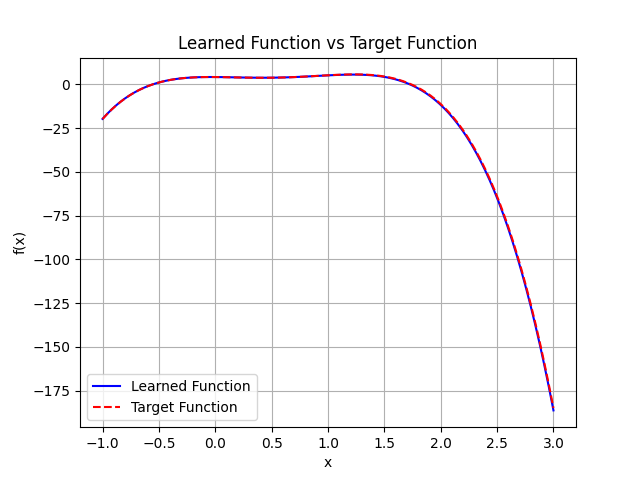
We can now see that the example correctly compiled, and it successfully found our target polynomial, and as the default error is set to quite a small value in the code, the plotted polynomials have quite the overlap.
Even though we have seen a simple usage of the library, this same approach will work for your local project using libtorch, so feel free to explore using it in your projects!
We’d love to hear your feedback
As always, we would love to hear your feedback with the recipe, so do feel free to contact us in https://github.com/conan-io/conan-center-index/issues, either for general feedback on the usage of the recipe, or if you would like to see the recipe support new features for the library. Happy coding!